Granite load: 29.06 tonnes
⅝-inch granite ·
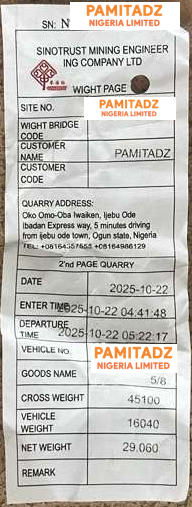
- Gross weight
- 45,100 kg
- Vehicle weight
- 16,040 kg
- Net material weight
- 29,060 kg
29.06 tonnes recorded


These are examples of the ticket photographs we send customers. For materials ordered by weight, we provide a quarry weighbridge ticket so you can check the recorded net tonnage of your load.
Customer and vehicle identifiers are covered with the Pamitadz logo. The original dates, material descriptions and weight readings remain unchanged.
These historical examples show separate loads with different recorded weights. Your own ticket will show your load’s readings.
Six granite-load examples. Each card shows the figures printed on that ticket, rather than rounding every load to “30 tonnes”.
⅝-inch granite ·
29.06 tonnes recorded
⅝-inch granite ·
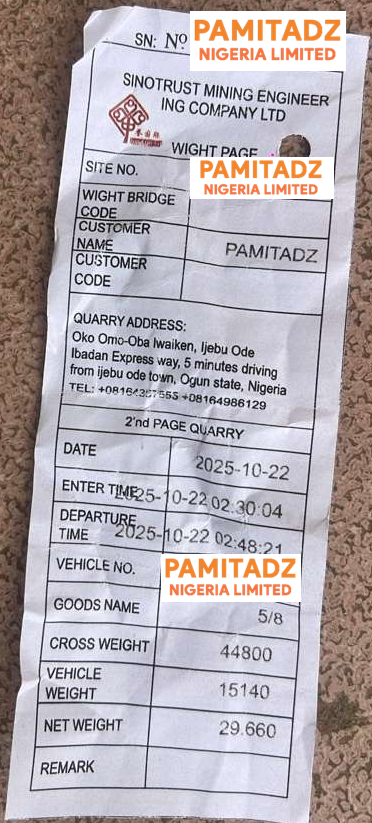
29.66 tonnes recorded
⅝-inch granite ·
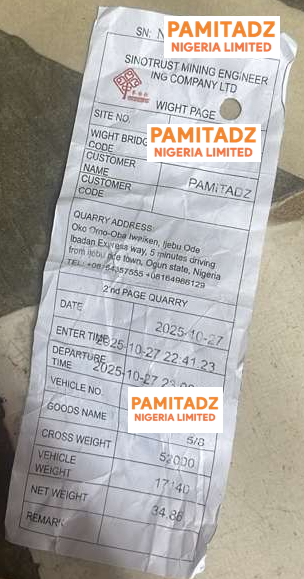
34.86 tonnes recorded
⅝-inch granite ·
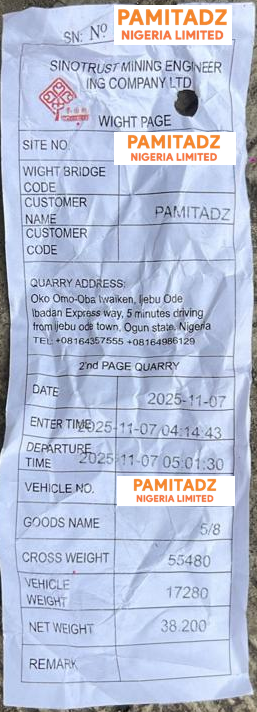
38.20 tonnes recorded
⅝-inch granite ·
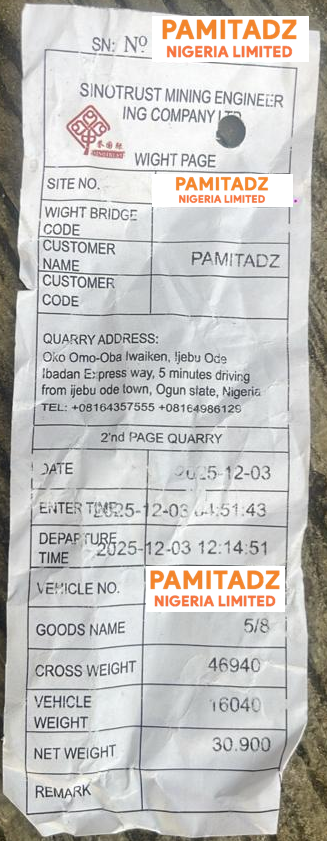
30.90 tonnes recorded
⅝-inch granite ·
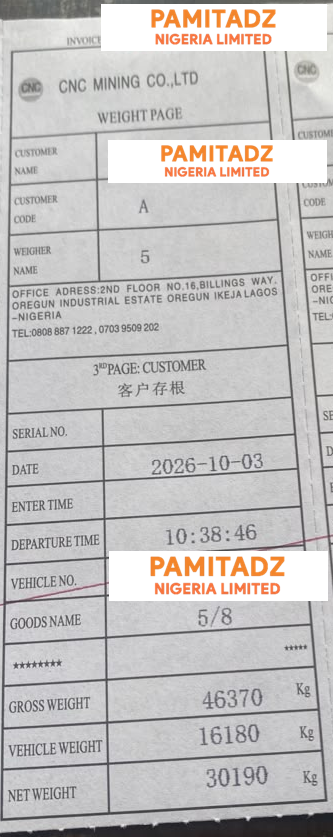
30.19 tonnes recorded
A weighbridge ticket records weight. For bulk orders only, we also provide a standard lab grading report from Lagos State Materials Testing Laboratory (LSMTL). Discuss the report needed for your project when requesting your quotation.